The quality of output you get from an AI tool depends less on which tool you use and more on how you ask. The same ChatGPT conversation with a vague prompt and a specific one produces dramatically different results. Prompt writing is a learnable skill, and five techniques consistently make the difference in 2026.
1. Define a Clear Role
The most immediate improvement you can make is telling the AI who to be, not just what to do. Role-based prompting works because it narrows the model’s frame of reference and changes the vocabulary, tone, and priorities in the response.
Compare:
*Weak:* “Write a follow-up email.”
*Stronger:* “You are a senior account manager at a B2B software company. Write a follow-up email to a prospect who attended our product demo two weeks ago but has not responded to our last two emails. The tone should be professional but not pushy, and the goal is to schedule a 20-minute call.”
The second version gives the AI enough context to match the vocabulary, style, and intent of a real account manager. The first version could produce a generic template that sounds like every other follow-up.
2. Give the AI Context
AI tools do not have memory between separate conversations. Every conversation starts from scratch. If you want relevant output, you need to provide the relevant background in the prompt itself.
Context means: what is the situation, who is the audience, what has already happened, and what is the goal. The more specific you are about the situation, the more useful the response.
For example, when asking for help with a document, specify what the document is for, who will read it, and what you want to happen as a result. “Summarize this report” produces a very different output than “Summarize this Q3 sales report for a non-technical executive audience, highlighting the two most important trends and what they mean for our strategy next quarter.”
3. Show, Do Not Just Tell — Use Few-Shot Examples
When consistency matters, examples outperform description. Few-shot prompting means providing one to three concrete examples of the output you want, then asking the AI to produce similar output for your new input.
This technique is especially useful for formatting, tone matching, or any situation where you need the AI to follow a specific pattern.
Example of few-shot prompting:
Here is an example of the format I want for meeting summaries:
[Example:
Meeting: Product Review, October 12
Attendees: Sarah, Marcus, Priya
Key decisions: Launch date set for November 15; Budget approved at $45K
Action items: Marcus to finalize vendor contract by Oct 18; Priya to schedule user testing by Oct 22]
Now summarize this meeting:
Meeting: Q4 Planning, October 15
Attendees: James, Elena, David
Key decisions: Priority projects confirmed; Headcount increase approved for Q1
Action items: James to draft Q4OKRs by Oct 20; Elena to prepare budget proposal by Oct 25
The AI learns the format from the example and applies it to your new input. This produces much more consistent results than writing elaborate instructions about what a good meeting summary looks like.
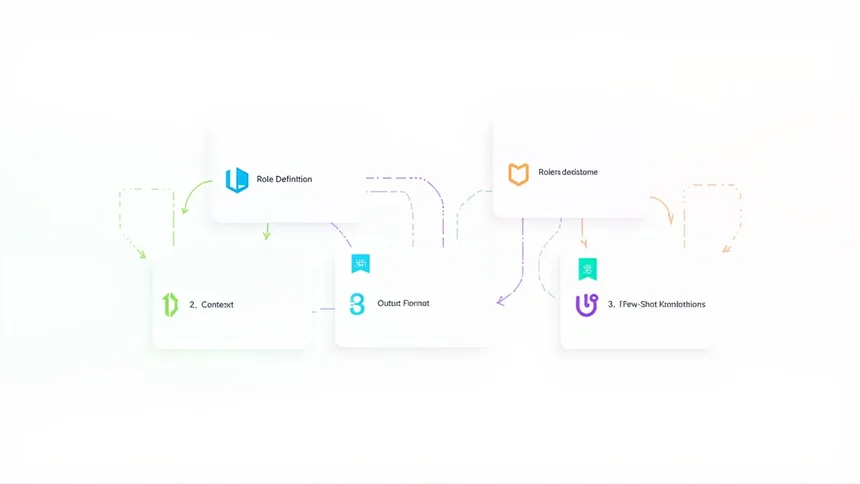
4. Specify the Output Format
If you have a specific format in mind, say so directly. Do not leave the structure of the output to chance. Explicit format instructions dramatically reduce the amount of editing you need to do after receiving the response.
Specify whether you want: a numbered list or bullet points, a table, a paragraph, a short summary under 100 words, a specific structure with labeled sections, or a JSON object.
The more precise you are, the less revision the output requires. “Give me a list” could produce a paragraph, a numbered list, or a table. “Give me a numbered list of five items” removes the ambiguity.
5. Add Constraints to Control the Output
Constraints tell the AI what to avoid and where boundaries exist. They are especially useful when you have specific requirements around length, tone, audience, or content boundaries.
Common constraints that improve output quality:
*Length:* “In exactly three sentences” or “in under 100 words.” Without a length constraint, the AI will produce text of its own preferred length, which is often longer than you need.
*Audience:* “Write for a non-technical audience” or “Write for senior executives with 2 minutes to read.” Audience specification changes vocabulary, complexity, and assumed knowledge.
*Content boundaries:* “Do not include pricing information” or “Do not mention competitors by name.” These prevent the AI from adding information you do not want.
*Tone:* “In a professional but warm tone” or “Write as if explaining to a curious friend.” Tone instructions override the AI’s default voice.
Constraints are particularly important for professional outputs where the cost of an off-target response is high: a client email, a public-facing document, or a formal report.
Putting It Together: A Full Prompt Example
Here is what a fully-structured prompt looks like combining all five techniques:
You are a junior HR coordinator at a mid-sized company.
Write a response to an employee who has asked about flexible working arrangements. The employee recently requested to work remotely three days a week.
Context: Our company currently has a hybrid policy requiring 3 days in office. This employee has been with us for 18 months and has received positive performance reviews. Our HR policy allows managers to recommend exceptions to the standard hybrid policy on a case-by-case basis.
Write a response that:
- Acknowledges the request warmly
- Explains the current policy briefly
- States that their manager will review the request
- Sets a realistic timeline (manager will respond within 5 business days)
- Stays under 150 words
- Uses a warm, professional tone
This single prompt does the work that would otherwise require back-and-forth editing. That is the practical value of good prompt writing: fewer revisions, faster results.
Frequently Asked Questions
Q: Do I need to use all five techniques every time?
No. For simple, low-stakes queries, one or two techniques are enough. For important outputs that require a specific format, tone, or accuracy level, use all five. The more the output matters, the more structure your prompt needs.
Q: Do these techniques work with any AI tool?
Yes. Role definition, context, examples, format specification, and constraints are universal principles that work across ChatGPT, Claude, Gemini, and most other conversational AI tools. Some tools have additional features that work differently, but the core techniques transfer.
Q: How do I know if my prompt needs constraints?
If you have received an output that was too long, in the wrong format, or included information you did not want, add a constraint for next time. Constraints fix specific problems once you notice them.