AI coding agents have evolved far beyond simple code completion. Over the past six months, terminal‑first agents, IDE‑native editors and open‑source extensions have all received major feature updates.
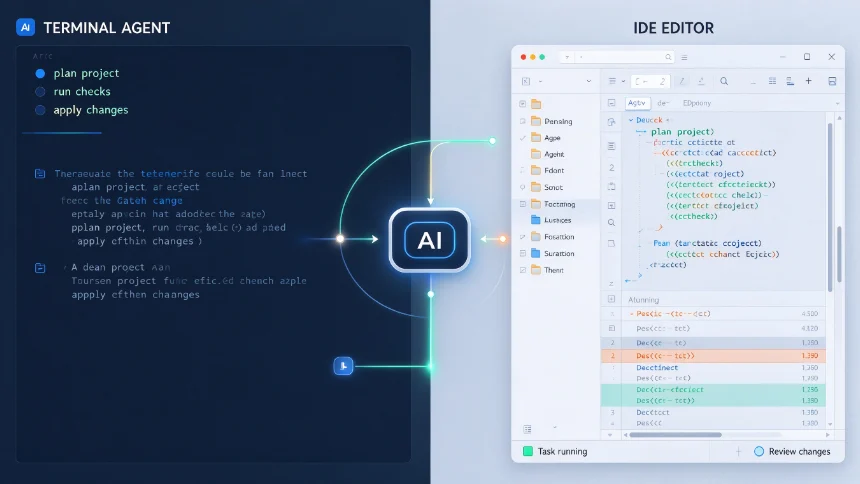
Choosing the wrong tool creates friction: some excel at large‑scale refactoring, others shine for fast daily editing, while open‑source options give you full control over model selection. This article compares five active, regularly‑updated coding agents and gives clear workflow‑based recommendations.
Quick overview of each tool
All tools listed are fully operational as of October 2026, no discontinued or sunset products included。
Claude Code ‑ Form:Terminal CLI + multi‑IDE plugin ‑ License:Proprietary,included within Claude Pro / Max subscription ‑ MCP:Supported (remote MCP available for Max tier) ‑ Strength:Deep multi‑file reasoning, large‑codebase refactoring, long‑running agent projects, Projects cloud background task feature released Sep 2026 ‑ Weakness:Locked‑in to Anthropic models only; long autonomous sessions may generate unexpected token cost spikes ‑ Best fit:Senior developers, complex full‑stack refactors, unfamiliar legacy codebases
Cursor ‑ Form:Custom VS‑Code‑fork AI‑native IDE ‑ License:Proprietary closed source ‑ MCP:Supported ‑ Strength:Composer 2.5 agent mode, visual diff preview, fast iteration for frontend UI work, built‑in proprietary model pool + third‑party LLM access ‑ Weakness:Proprietary editor fork; heavy agent work can exhaust monthly credit pool ‑ Best fit:Front‑end engineers, rapid prototype building, developers preferring all‑in‑one IDE experience
GitHub Copilot Agent Mode ‑ Form:Cross‑IDE extension (VS Code, JetBrains, Neovim etc.) ‑ License:Proprietary, $10 USD/month for individual plan ‑ MCP:Limited enterprise‑focus support ‑ Strength:Deep GitHub ecosystem integration, wide IDE compatibility, BYOK third‑party‑model capability (GA mid‑2026) ‑ Weakness:Agent reasoning depth lags behind dedicated agent tools; credit‑metered billing changed in June 2026 ‑ Best fit:GitHub‑centric engineering teams, daily incremental coding tasks
Aider ‑ Form:Open‑source terminal‑first CLI ‑ License:Apache 2.0 open source ‑ MCP:Not supported (on roadmap) ‑ Strength:Model‑agnostic “bring‑your‑own‑API‑key”, native Git workflow, lightweight pair‑programming, no mandatory subscription fee ‑ Weakness:Pure terminal workflow; lacks graphical interactive UI ‑ Best fit:Cost‑conscious individual developers, privacy‑focused users, people wanting full control over LLM selection
Cline ‑ Form:Open‑source VS‑Code extension ‑ License:Apache 2.0 open‑source ‑ MCP:Full MCP protocol support ‑ Strength:Human‑in‑the‑loop audit‑able agent steps, bring‑your‑own‑key, open codebase you can inspect and modify ‑ Weakness:Requires you to manage your own API‑key costs; less polished out‑of‑box experience compared with commercial products ‑ Best fit:Developers wanting open‑source auditable agents, security‑sensitive personal projects
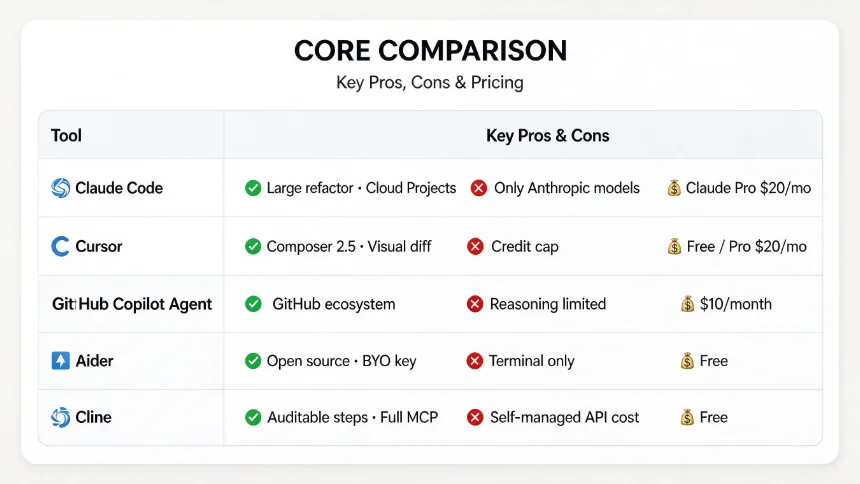
Core Comparison (Mobile‑friendly 2‑column layout)
Optimized for phone screen; condensed key facts only
表格
| Tool | Key Pros & Cons |
|---|---|
| Claude Code | ✅ Large‑scale refactor, cloud Projects❌ Only Anthropic models, token‑cost risk💰 Included in Claude Pro $20/mo |
| Cursor | ✅ Composer 2.5, visual diff, frontend speed❌ Custom IDE fork, monthly credit cap💰 Free / Pro $20/mo |
| GitHub Copilot Agent | ✅ Great GitHub integration, multi‑IDE support❌ Agent reasoning is limited💰 $10 / month individual |
| Aider | ✅ Open‑source, BYO‑key, Git‑native❌ Terminal‑only, no GUI💰 Free (supply your API key) |
| Cline | ✅ Open‑source, auditable steps, full MCP❌ UX less polished, self‑manage API costs💰 Free (supply your API key) |
How to pick based on your real‑world workflow
- You need to refactor huge unfamiliar legacy codebase → Choose Claude Code It performs best for multi‑file cross‑module changes and long‑running project‑level agent work, especially after the release of the
Projectscloud task feature in September 2026. Accept you can only use Anthropic‑family models and watch token consumption for long autonomous runs. - Front‑end / UI‑heavy work, want one‑stop AI‑IDE → Choose Cursor Great for building prototypes and iterating visual interfaces. Visual diff makes reviewing AI‑generated changes straightforward. Note that heavy agent work will burn monthly credits quickly.
- Team works heavily inside GitHub ecosystem, daily incremental coding → Choose GitHub Copilot Agent Best for teams already living inside GitHub workflow. Do not expect it to handle extremely complex autonomous refactors.
- Want full model freedom, budget‑conscious, comfortable with terminal → Choose Aider Zero lock‑in; you can switch between GPT‑6, DeepSeek, Gemini and other models at will. All work inside terminal / Git environment.
- Prioritize audit‑able open‑source agent, security‑sensitive personal project → Choose Cline Every agent action step can be inspected. Full MCP capability, you hold your own API keys and take charge of cost control.
Common misconceptions when evaluating coding agents
‑ Myth:Higher benchmark score equals better real‑world coding experience. Benchmarks like SWE‑Bench reflect controlled lab results. Actual productivity depends on your editor habit, workflow and whether you can review agent outputs properly. ‑ Myth:Open‑source means zero‑cost. Open‑source tools like Aider / Cline are free software, but you still pay token costs for whatever LLM API you connect. ‑ Myth:One single coding agent fits all scenarios. Most professional developers mix 2 tools: for example using Cursor for day‑to‑day UI iteration and Claude Code for occasional large refactoring tasks.
Closing thoughts
As of late‑2026, there is no universal “best” AI coding agent. Commercial products deliver polished out‑of‑box user experience, while open‑source tools grant you maximum freedom of model selection and audit‑ability. Your editor preference, project scale, team ecosystem and cost constraints should decide your final pick, not benchmark numbers alone.