New AI models keep launching non‑stop. Testing every new release takes huge amounts of time. Instead of endlessly chasing “which single tool is number‑one”, this article focuses on practical combination workflows: local computer‑controlling agent and multi‑bot virtual team, plus a neutral knowledge base to free you from platform lock‑in.
GPT‑Astra is not merely an upgraded chatbot. It can operate directly on your local computer: open applications, read local files, click interfaces, copy‑paste, and complete end‑to‑end tasks running in background while you work. You can also send instructions remotely via mobile phone to control your desktop.
This is fundamentally different from code‑assistant tools. It simulates ordinary human operating logic, rather than only executing code snippets. To enable this capability, turn on computer‑use permission inside integration settings. The floating quick‑access icon lets you give voice commands without switching tabs.
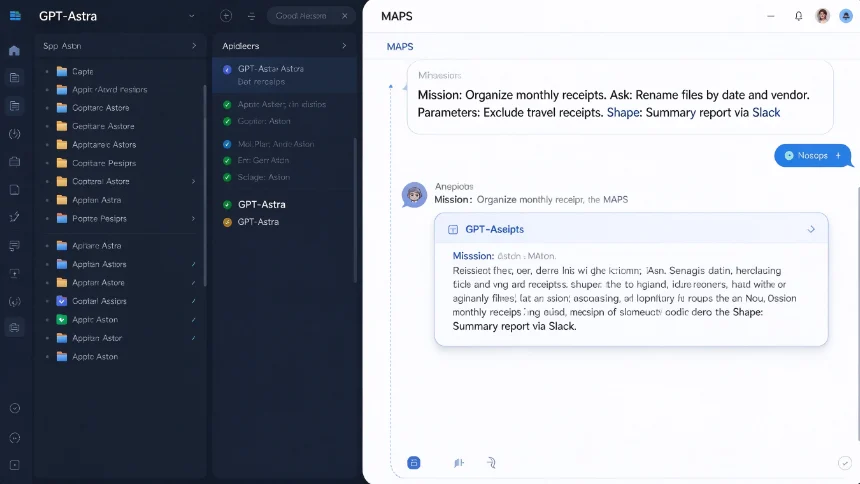
When assigning complex tasks, follow the MAPS prompt framework:
- M‑Mission: State your core objective
- A‑Ask: Clear action you want finished
- P‑Parameters: Attach files, define rules and hard limits
- S‑Shape: Specify output format and notification method
Real‑world example: collect receipts from the past month, rename files by date‑vendor, ignore travel receipts, sum total expenses, send summary report to teammates via Slack. You describe the whole workflow once, and the agent executes the full sequence automatically.
Grockbot: build your virtual bot team
If GPT‑Astra acts as your on‑site chief‑of‑staff working directly on your machine, Grockbot is your scalable virtual employee group running on cloud resources.
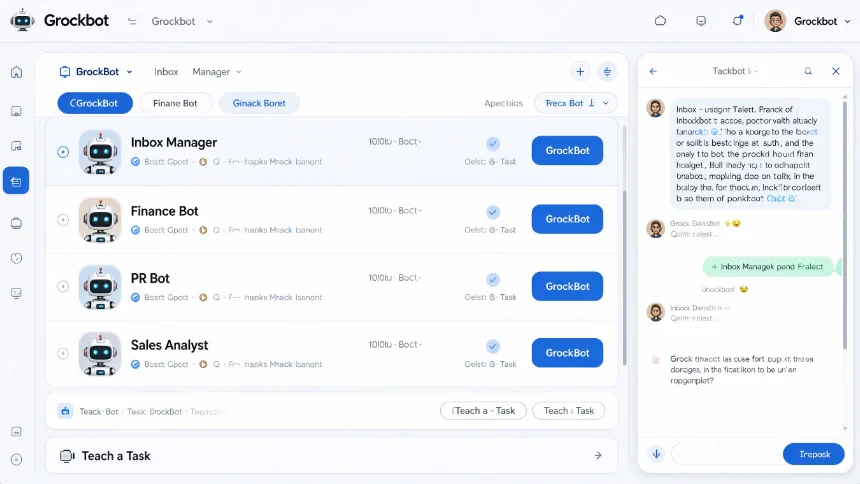
You create independent bots for different roles: inbox manager, finance bot, PR bot, sales analyst and more. Each bot gets its own isolated runtime environment. You can group bots into group chats so they exchange information and hand‑over tasks to each other.
No advanced coding knowledge is required. You define roles and tasks using plain natural language. A very useful trick is the camcorder method: use “teach a task” function. You manually complete an operation inside browser environment, stop recording, and Grockbot will learn the whole procedure and repeat it autonomously later.
You can set scheduled jobs without dealing with cron configurations, API keys or extra deployment. For instance: have inbox‑manager bot sort emails and draft replies every morning at 8 a.m., deliver brief digest for items requiring human attention.
Some upcoming features worth watching: inbound voice call handling, cross‑Slack‑channel bot‑to‑bot collaboration.
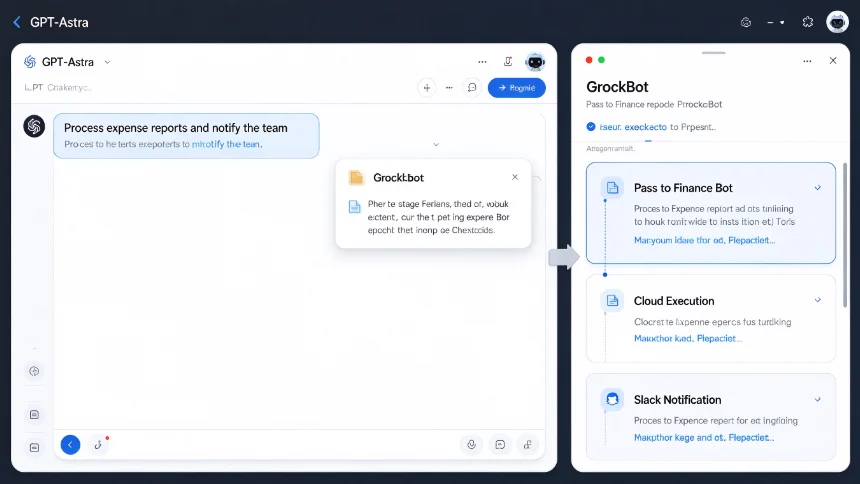
Workflow: GPT‑Astra + Grockbot working together
The biggest gain comes from making these two systems cooperate instead of picking only one.
- GPT‑Astra: runs locally on your PC, accesses local files and desktop software, acts as your main entry point for human instruction.
- Grockbot: runs tasks on independent cloud virtual machines, handles long‑running automation and multi‑agent collaboration.
Typical collaborative flow example:
- You give one single instruction to GPT‑Astra on your desktop.
- GPT‑Astra collects required local files and context.
- It opens Grockbot app on your computer, passes materials over to the corresponding specialized bot.
- Grockbot agents finish complex automated work in cloud.
- Final results are handed back, and notifications get sent out via Slack or other channels.
You can even control this whole pipeline remotely from your mobile phone. Your role shifts from manual operator to project director, you define goals instead of clicking through every step yourself.
Build a neutral second‑brain knowledge base, avoid tool lock‑in
New AI tools keep emerging. If all your context, preference, business knowledge are saved inside one single platform, switching over to a better new tool means heavy migration work.
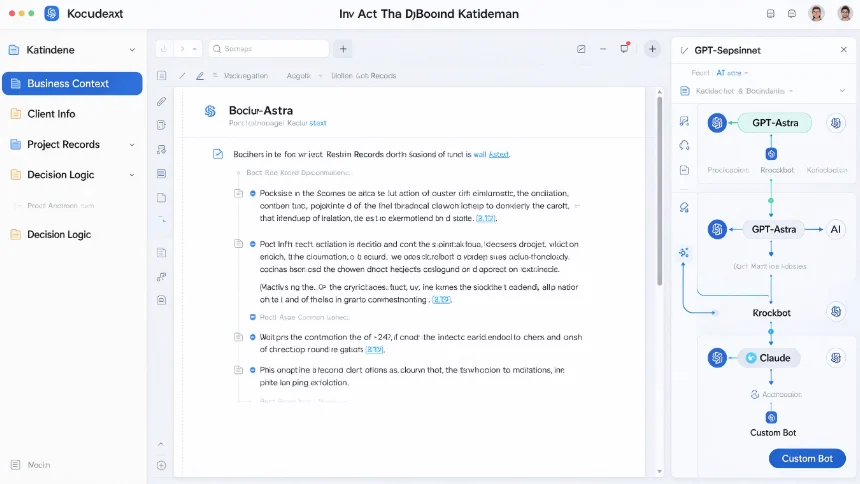
The solution is building your neutral second‑brain: central storage for all your business context, decision logic, client information, project records. Every AI tool you use can connect and read this shared knowledge pool.
Existing options include Notion, Obsidian, Google Drive and dedicated second‑brain platforms. The core principle: you own your data. When a better model appears, you just connect the new tool to your existing second‑brain, no need to copy‑paste all your context again.
Core mindset: We rent AI model capabilities, but we own our own knowledge and context.
Core AI mindset: be the director, not the doer
Many people still treat powerful AI tools like fancy calculators, only assigning trivial small tasks.
The correct shift in mindset: delegate repetitive operational work to AI. Your job is defining goals, checking outcomes, judging quality, handling high‑value human‑only work. If you are still manually doing work which AI can complete, you become the bottleneck of your own workflow.
Closing thoughts
You don’t need to chase every newly‑released model. Master two‑layer workflow: local agent handles your desktop environment, cloud multi‑bot team undertakes heavy automation, plus a neutral shared knowledge base. Start small: try MAPS framework for one complex task; create one specialized bot in Grockbot; test one round of cross‑tool cooperation. Practical trial beats endless browsing of tool introductions.