A lot of people feel they are falling behind in the AI race. They hear everyone talking about AI agents, yet still only use basic chat‑style prompts. The good news is you do not need deep engineering background to build useful agents. After building dozens of them in‑house, I’ve found agent workflows are far more approachable than most online content makes them sound. My own company even lets AI agents handle the vast majority of routine daily work.
First we need to draw a clear line: chatbot versus AI agent. A chatbot works like a meeting: you send a question, it gives you an answer. You drive every single step. An AI agent acts like an employee. You define the end goal, and it runs the whole workflow independently.
We can break down agent capability with the D‑A‑T‑A loop:
- Diagnose: Figure out existing problems on its own, like an external consultant.
- Assemble: Put together plans, select and combine available tools to reach objectives, similar to an architect.
- Take action: Execute concrete tasks step‑by‑step.
- Assess: Review completed work, spot gaps, correct mistakes.
That self‑checking Assess step creates a closed loop. Without this loop you merely get static automation. An actual agent iterates, adjusts, and improves as it keeps running. Chat tools wait for your next prompt; agents push work forward proactively and check outcomes by themselves. Chat can save you some time, but agents let you hand off whole domains of work entirely.
The R‑rule: decide what work belongs to an agent
Before jumping into building anything, ask yourself three R questions to judge whether a task makes sense for agent automation:
- Repetitive: Will you perform this task over and over, week after week?
- Rule‑based: Does consistent input produce predictable output?
- Return on time: Is the total time saved greater than the hours you spend building the agent?
If a job only pops up occasionally, lacks clear rules, and building an agent costs more time than doing it manually, stick to ordinary chat prompts instead.
The AGENT framework for building agents
We can follow the easy‑to‑remember AGENT five‑step workflow, using an inbox‑management agent as our hands‑on example.
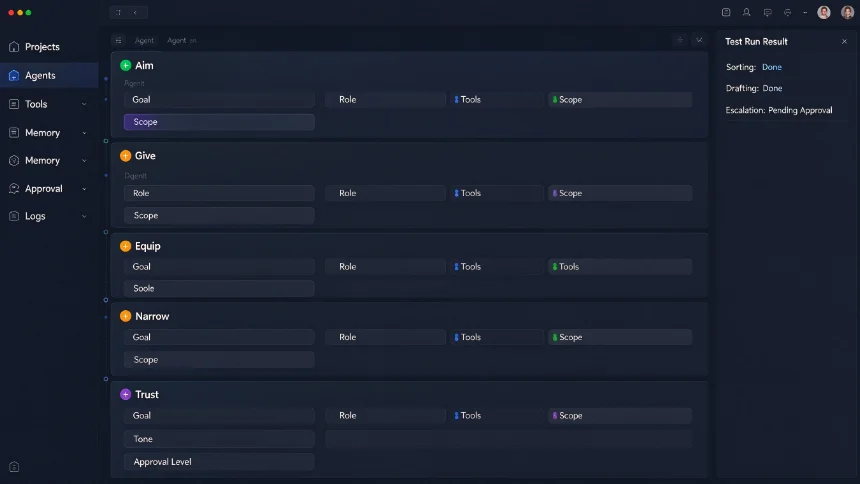
A — Aim for a specific outcome
Start from the end result instead of listing detailed step‑by‑step instructions. When you hire an employee, you tell them what to accomplish, not every tiny mouse click they should perform. Three practical techniques to lock down your outcome:
- State why before how. Give background context so the agent can make reasonable independent judgments.
- Write a clear Definition of Done (DOD). It should be concrete and measurable, ideally in one single sentence.
Bad example: handle my emails. Good example: Done means inbox stays cleared each 9 a.m., replies are drafted matching my writing voice, high‑priority items get flagged at top, zero critical messages get overlooked.
- Reverse prompting: Describe the end result first, then let the agent actively ask you clarifying questions to fill information gaps.
If you cannot summarise your target outcome in one sentence, you are not ready to build the agent yet.
G — Give it an identity
Base large‑model know‑a‑little‑about‑everything, but lacks focused expertise. Sharp identity definition directly lifts task success rate. One airline support test showed stripping away identity rules dropped agent success rate from 33% down to 11% on exactly the same task and same model.
We use three plain‑text files to shape identity:
- Soul file: Defines behaviour, tone, personal quirks and value principles of this agent.
- Identity file: Agent’s official role, name, job scope, hard boundaries of what it must never touch.
- User file: Your own background, priorities, work habits, key stakeholders the agent needs to understand.
Pro tip: Do not write these three documents manually. Feed your target outcome to AI, ask it to draft all three files and interview you for missing details. Taking our inbox agent as example:
- Soul: writes concise, direct email drafts, no empty corporate pleasantries; flags uncertainty instead of guessing answers.
- Identity: Named Amelia, personal inbox manager; only processes emails, never touches calendar, finance data.
- User: founder receiving ~100 mails daily; priority contacts include internal team, paying clients and VIP partners.
E — Equip it with context & tools
Even with clear goals and personality, an agent cannot deliver results without process documentation, access to data and usable tools. Think of the agent runtime as a physical desk:
- On‑desk: identity documents, playbooks, available tools, execution schedule.
- Filing cabinets under desk: long‑term memory that stays outside the active context window.
Poor messy context leads to context rot: information piles up, the agent struggles to locate key facts and produces unreliable output. Two approaches to build your work playbook:
- Camcorder method: Record yourself completing real work, narrate your thought process, let AI turn recording into procedural playbooks. Good but not ideal.
- Reverse‑engineer from historical data (preferred): Give the agent access to your past work records and have it summarise your real‑world patterns, tone and implicit rules.
For our inbox agent: connect to email history, let it read dozens of your sent mails, learn your writing style, output a tone guide, and test‑generate sample replies for further tuning. Break complex work into multiple independent system prompts for sorting, drafting, forwarding, escalation and daily reporting.
N — Narrow your scope
Avoid building one giant “everything‑doer” mega‑agent. Just like you would not assign admin staff to simultaneously handle admin, marketing and sales work. Split responsibilities: build specialist sub‑agents, and create one lightweight manager‑orchestration agent to assign tasks, monitor progress and aggregate outputs. In this pattern the manager agent rarely executes concrete work itself; it routes jobs to corresponding specialist sub‑agents. You should also match model capability to task complexity for cost control:
- Haiku: high‑volume simple classification, fast and low‑cost.
- Sonnet: daily routine work, research and general generation.
- Opus: complicated reasoning, multi‑step architecture work, orchestration jobs.
- Fable: cutting‑edge long‑duration complex tasks, highest cost.
Our inbox agent runs on Sonnet for regular recurring email processing; we only spin up heavier models in the agent‑building design phase.
T — Trust gradually by staged roll‑out
Building the agent is comparatively simple; the intimidating part is granting it real‑world operating permission. Never hand over full authority on day one. Roll out capability step‑by‑step with guardrails:
- Set hard guardrails inside identity documents: define exactly what actions the agent may or may not perform.
- Require human approval for all outputs in early testing phase.
- Loosen restrictions incrementally as performance proves stable.
- Add heartbeat / recurring schedules for automated background runs.
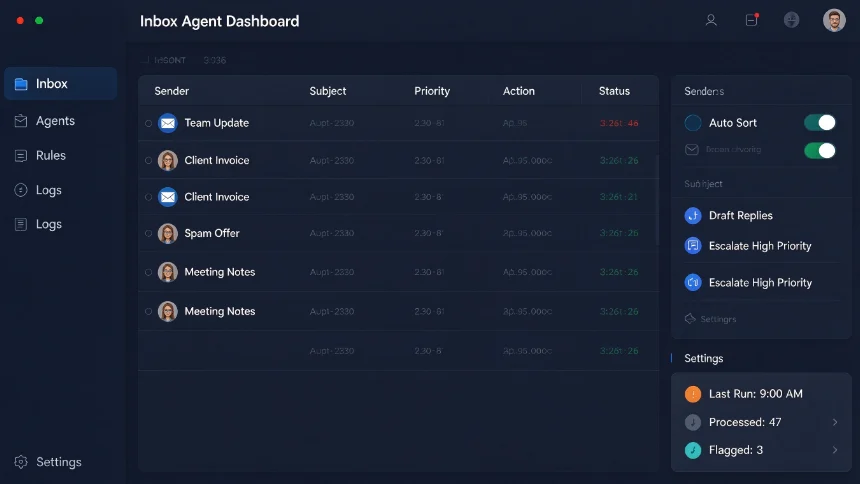
Using inbox agent as example: Phase1: only sort emails, you review all results. Phase2: generate reply drafts, human still sends every mail manually. Phase3: allow forwarding to finance or team members under specific rules. Phase4: fully automated regular processing while key items still get flagged for your attention.
Done correctly, agents free you for higher‑value work instead of replacing team members.
You do not need to chase every hot new AI release constantly. Master this way of thinking: define outcomes, set identity, supply context, limit scope and build trust gradually. Use the three‑R filter to hunt for work suitable for agent‑automation in your daily workflow.