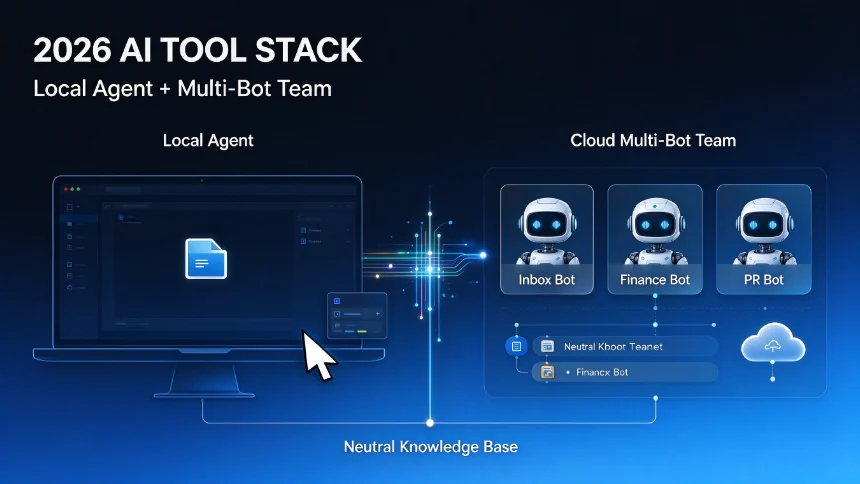
AI agents are often over‑complicated by technical tutorials. You do not need APIs, complex multi‑box workflows or coding skills to build a practical agent. Using Claude Co‑work, you can define a goal in plain natural language, test outputs, refine instructions, and set fully automatic recurring tasks.
What Exactly Is an AI Agent
A regular chatbot responds to your single question and ends the interaction. An AI agent is assigned an end‑goal instead of one‑off questions. It can independently break down multi‑step work: search the web, read sources, compare materials, process files, call connected applications, organize results and deliver final outputs.
Our practical demo project: Daily AI research agent. It automatically finds the top‑5 most important AI news stories from the past 24 hours. For each story, output short summary, explain business impact, attach original source links, filter minor trivial announcements. Finally auto‑save the finished report to Google Drive.
You can adapt this template to many use‑cases: stock research agent, competitor monitoring agent, job‑hunt agent, travel research agent, content‑idea generator, app‑data alert agent. Rule for your first agent: stick to one clear objective, avoid trying to build an all‑in‑one multi‑purpose agent.
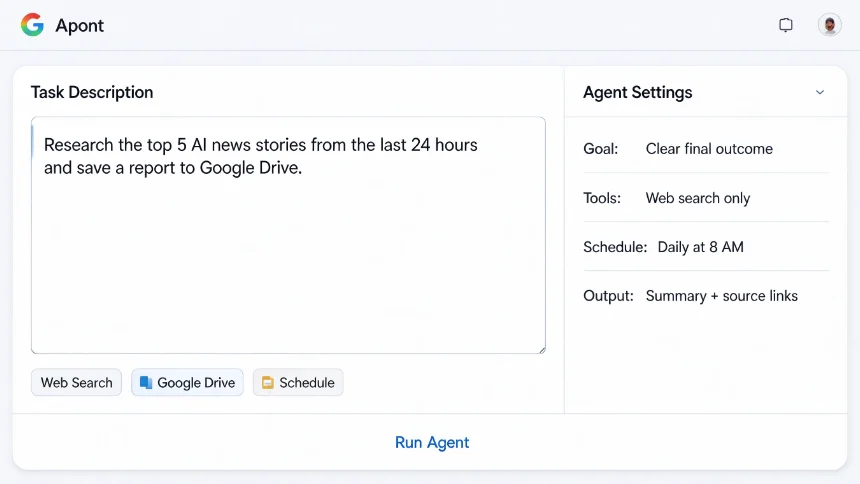
Step 1: Define your agent’s outcome‑focused prompt inside Claude Co‑work
Switch from normal Chat mode to Co‑work mode on desktop Claude. Do not write overly‑complex technical prompts. Simply describe your desired final outcome, you don’t need to manually list every intermediate step. Claude will figure out execution steps by itself.
Sample prompt for daily AI news agent:
Research the five most important artificial intelligence stories from the last 24 hours. Prioritize major AI product launches, new model releases, key research papers, major announcements from OpenAI, Anthropic, Google, Apple, Meta and Microsoft. For each story write a short summary, explain why this story matters, add reliable original source links. Exclude duplicate content and trivial small‑scale announcements.
Run the task and review raw output. First‑run results are rarely perfect. Iterate and add constraints, for example: “Keep every story summary under 100 words”. Keep refining until outputs match your expectation.
Step 2: Understand agent tools — grant only necessary permissions
Tools are external capabilities your agent is allowed to use: web search, Google Drive, Gmail, Calendar and more.
Best practice: grant minimal required tools only. Do not connect dozens of apps just because you have the option. More connected services bring higher complexity and risk. For our news agent: only web‑search tool is required. Add extra connectors only when your task truly demands them.
Step3: Schedule automation & auto‑save outputs to Google Drive
The manual agent works, but you still need to trigger it manually every day. Inside Claude Co‑work open the Schedule panel, create a scheduled task named daily AI news brief.
Reuse your refined prompt, add extra rules for automation:
Run this workflow automatically every morning at 8 AM. After finishing research, save the complete report to your Google Drive folder
daily AI news briefs, embed date inside each file name.
Now your agent runs independently, generates reports and archives files without your manual trigger.
Key difference between pasting prompt in normal chat vs Co‑work scheduled agent: Normal chat requires you manually start every session. Agent holds goal, instructions, tool access, multi‑step logic and recurring schedule.
Critical safety reminder for AI agents
Distinguish low‑risk work and high‑risk actions: ✅ Safe starting tasks: research, summarization, planning, draft writing ⚠️ High‑risk actions: file editing, sending emails, message posting, deleting account data. For high‑risk operations always keep human review steps active until you fully trust agent stability.
No‑Code AI Agent Template Reference Table
| Agent Type | Core Mission |
|---|---|
| Daily AI News Agent | Curate & summarize top important industry updates |
| Competitor Research Agent | Track competitor product releases & public moves |
| Stock Research Agent | Collect market news & key company announcements |
| Content Idea Agent | Mining trending topics for article / social posts |
| Personal Alert Agent | Scan connected apps for items requiring your attention |
Closing thoughts
You do not need deep engineering background to start with AI agents. The core logic is simple: give clear goal, define output standard, enable necessary tools, iterate outputs, and apply schedule automation. Always follow minimal permission principle to reduce risk when connecting third‑party services.