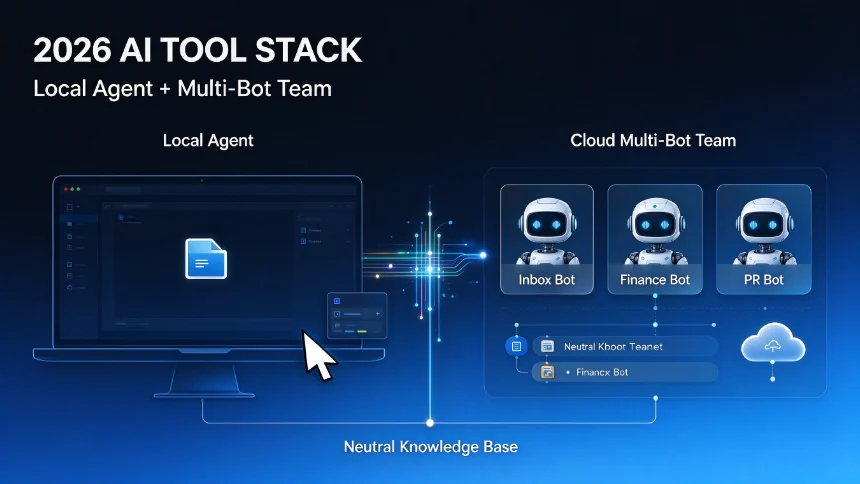
In 2026, AI agents have moved from experimental demos to real business operations. Companies use agents to handle HR workflows, automate customer service, generate reports, and coordinate across multiple business tools. If you are evaluating where AI agents fit in your organization, this breakdown covers what they actually do, how they differ from simple chatbots, and which business tasks they handle best.
AI Agents vs Chatbots: The Core Difference
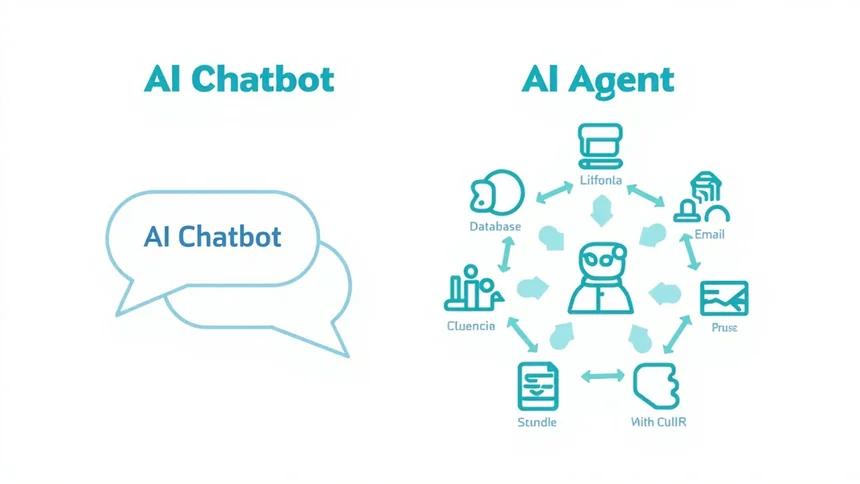
The simplest distinction: a chatbot answers questions. An AI agent completes tasks.
A chatbot receives a question, processes it, and returns a response. An AI agent receives a goal, breaks it into steps, uses tools to access business systems, makes decisions within defined rules, and delivers a completed outcome.
For example, when a customer asks “Where is my order?”:
A chatbot checks a knowledge base or database and replies with a status. An AI agent can check the order system, confirm delivery status, update the customer record, create a support ticket if delayed, notify the operations team, and log the entire interaction — without human input.
This distinction matters because it determines which problems each technology solves. Chatbots work well for FAQs and guided support. AI agents work well when a business needs workflow automation, tool access, and task completion.
The AI Agent Landscape in 2026
Enterprise AI agents fall into several categories based on how they are built and deployed:
Horizontal AI platforms — Microsoft Copilot, Google Gemini, OpenAI, and Anthropic provide general-purpose AI agents that can be integrated into existing business systems. These offer broad model capabilities and API access for custom integrations.
Workday-native AI operating systems — Sana Labs positions itself as an AI operating system that runs HR and Finance workflows natively within Workday. Agents ground every action in Workday’s data model, respecting governance, permissions, and audit requirements out of the box.
No-code and low-code workflow builders — Zapier, Bardeen, Lindy, and Kissflow let non-technical teams build agents by connecting apps and defining automation rules without writing code. These are accessible to business teams but offer less customization.
Integration and iPaaS platforms — Workato provides enterprise-grade integration between business systems with AI agent capabilities built into the integration layer.
Technical workflow engines and open-source tools — n8n and similar open-source platforms offer maximum customization for technical teams building complex agentic workflows.
Each category suits different team sizes, technical capability, and use case complexity.
Where AI Agents Deliver the Most Value
Five business functions show the strongest ROI from AI agent deployment in 2026, based on documented enterprise implementations:
Customer service automation — Agents can handle tier-1 support tickets by retrieving order status, processing refunds within policy rules, escalating complex cases to human agents, and logging all interactions. The agent works across the CRM, order system, and knowledge base simultaneously.
HR and people operations — Agents manage leave requests, benefits enrollment, employee onboarding checklists, and policy questions by connecting to the HRIS and relevant documentation. Sana Labs documents agents that handle recruiting workflows, payroll queries, and onboarding tasks end-to-end.
Finance and reporting — Agents pull data from multiple systems, compile it into reports, and distribute them on schedule. They can also handle invoice processing by extracting data from receipts, validating against purchase orders, and routing for approval.
Sales and CRM maintenance — Agents update CRM records after calls or meetings, draft follow-up emails, schedule follow-ups, and flag deals that have gone cold based on activity patterns.
IT service management — Agents handle password reset requests, access provisioning, and initial triage of IT tickets, routing complex issues to the right team based on categorization rules.
The common thread: high-volume, policy-driven, multi-system tasks where the same decision logic applies repeatedly.
What AI Agents Cannot Do Well Yet
AI agents have meaningful limitations that businesses need to account for before deployment:
Agents perform well within defined rules but struggle with novel situations. A policy exception, an unusual customer situation, or a context that falls outside training data requires human judgment. Most enterprise deployments use agents for 80% of volume and route the remaining 20% to human review.
Agents also inherit the limitations of the models and tools they use. An agent connected to an outdated knowledge base will confidently return incorrect information. An agent without access to the right systems will hit a dead end mid-workflow.
Security and compliance require careful design. Agents that access business systems need appropriate permissions — too broad creates risk, too narrow limits capability. Enterprise platforms like Sana address this by grounding agent actions in existing permission models.
Evaluating AI Agents for Your Business
Before selecting an AI agent platform or building an internal agent, assess three dimensions:
Task fit — Is the task high-volume, rule-based, and multi-system? Agents excel here. Is it low-volume, judgment-heavy, or requires deep contextual understanding? A human or specialist tool is likely better.
Integration requirements — Which business systems does the agent need to access? The answer determines whether a no-code builder, an iPaaS platform, or a custom integration is appropriate.
Governance needs — Does the task involve sensitive data, compliance requirements, or audit trails? Workday-native and enterprise iPaaS platforms handle this out of the box. Custom builds require explicit governance design.
Start with one high-volume, low-complexity workflow. Measure error rate, resolution rate, and time saved. Scale only after validating the first use case.