Obsidian rose in popularity partly because its local‑first markdown‑based vault structure fits AI integrations extremely well. You can build AI‑powered second brains, AI databases and fully‑managed LLM wikis inside it. This article breaks down core Obsidian fundamentals and three progressive AI integration patterns you can replicate.
Core fundamentals of Obsidian
Everything you work with in Obsidian lives inside a local folder called a vault. All notes are stored as standard markdown .md files. You can open, read or back‑up these files with almost any software.
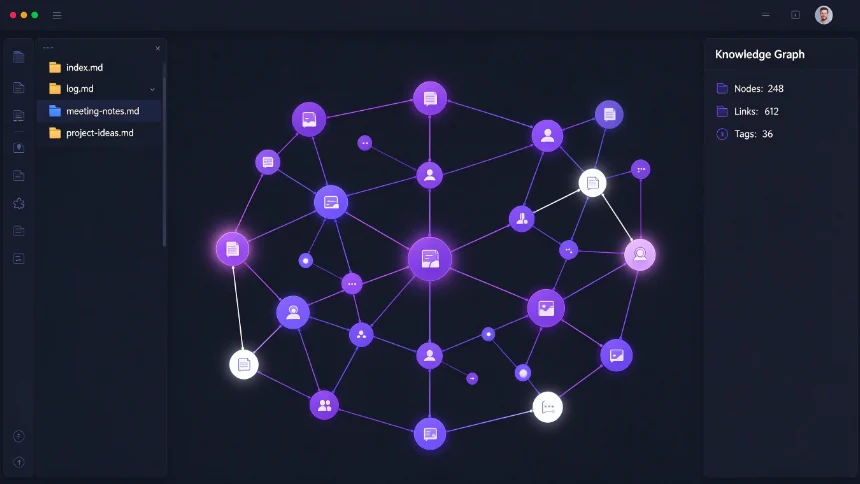
Key native features: ‑ Bidirectional note links: connect notes to one another, create stub notes that do not yet exist. ‑ Graph view: visualize connections among your whole vault, apply filters and grouping. ‑ Powerful search: search by file path, tags, content and metadata. ‑ Community plugins & custom themes to extend functionality. ‑ Rich embedding support: insert images, PDFs, audio, tables and code blocks. ‑ Flexible metadata: transform notes into tables, kanban boards and dashboards. ‑ Hotkey command palette for fast navigation.
Obsidian is mostly free. Obsidian Sync is one of its few paid features, offering end‑to‑end encrypted cross‑device sync for your vault.
Level 1: AI Second Brain
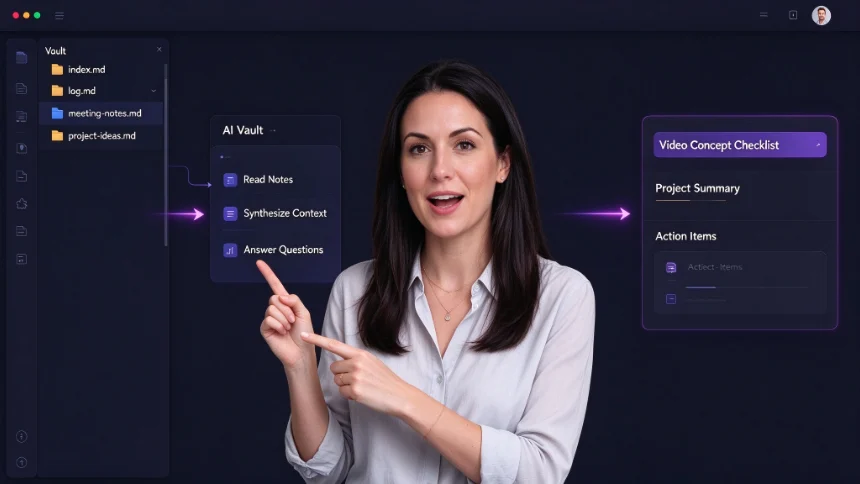
In a traditional second‑brain workflow, humans write notes and manually search for information later. For an AI Second Brain, you keep writing your own notes, but you give AI access to your Obsidian vault. The AI reads, interprets and answers questions based on your existing corpus.
You may grant vault access to agents such as Claude Co‑work. The AI can read across dozens of notes, synthesise your past thinking and generate outputs like video‑concept checklists directly from your personal knowledge.
Alternative implementation paths: ‑ Use local or open‑source AI agents for maximum privacy. ‑ Install Obsidian community plugins such as Smart Connections or Copilot for in‑vault AI query.
This level suits people who already maintain large personal note archives and want AI to help retrieve and analyse them.
Level 2: AI Database
At level one, humans write notes and AI reads them. Level two reverses that dynamic: AI agents actively write data into your Obsidian vault.
Multiple AI tools, bots and services continuously log information into your vault. Examples include logging food intake, generating process documentation, saving pomodoro session records and todo‑list entries. Obsidian Sync keeps the vault synced across multiple machines where different agents run.
Once the vault accumulates enough personal and work data, you can query AI agents against this database. It will produce highly personalised advice about productivity, deep‑work scheduling and team workflows grounded on real historical records.
This pattern works well for people who dislike manual note‑taking. Instead of you writing everything down, AI captures logs and records on your behalf.
Level 3: LLM Wiki
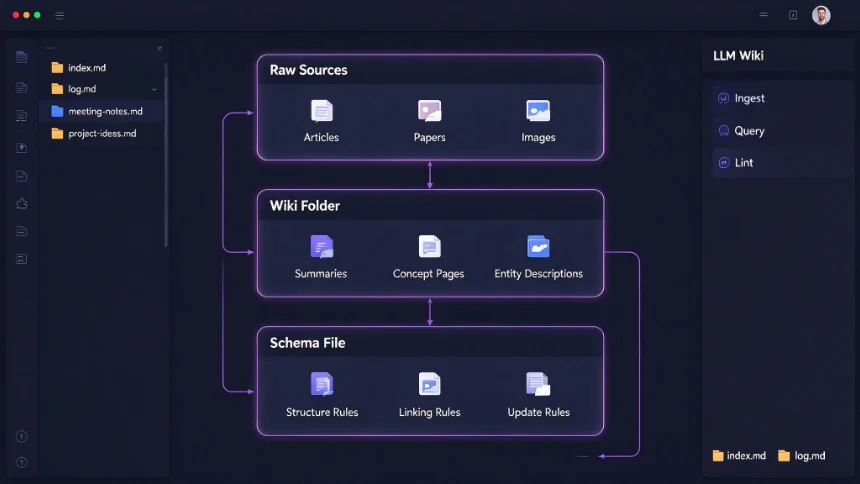
The LLM Wiki concept was popularised by Andre Karpathy. Here the AI takes nearly full ownership of knowledge‑base maintenance. You mostly source raw materials and ask questions, while the LLM handles summarising, cross‑linking, filing and ongoing housekeeping.
Three core layers of an LLM Wiki:
- Raw sources: Immutable original materials including articles, papers, images and raw data. The LLM reads them but never edits these source files.
- Wiki folder: Fully AI‑managed markdown pages: summaries, concept pages, entity descriptions and synthesis outputs. The LLM creates, updates and organises these files as new sources arrive.
- Schema file: Defines the wiki’s structure and rules, telling the LLM how to organise content.
Three essential AI operations: ‑ Ingest: Process new raw source materials and turn them into wiki entries. ‑ Query: Answer your questions by searching and synthesising wiki content. ‑ Lint: Periodic health‑check: fix contradictions, retire stale content, clean orphaned unlinked pages.
Two special files keep the wiki navigable as it grows: ‑ index.md: Catalog of wiki entries, with short summaries, metadata and internal links, automatically updated after each ingestion. ‑ shturl: Append‑only chronological record tracking every ingestion, query and lint operation.
You can build an LLM Wiki with many different AI stacks. Pre‑built Hermes skills, Claude‑Code GitHub templates and other open‑source agent frameworks are practical starting points. Obsidian’s markdown‑based vault makes it the preferred environment for running LLM Wiki workflows.
You can apply LLM Wiki to personal self‑improvement, research, book notes, team documentation, competitive analysis and hobby‑related knowledge accumulation.
Obsidian’s local‑markdown foundation creates huge flexibility for AI‑knowledge workflows. You can start simple with an AI second brain, gradually move to AI‑driven logging, and eventually experiment with a fully autonomous LLM‑managed wiki.